
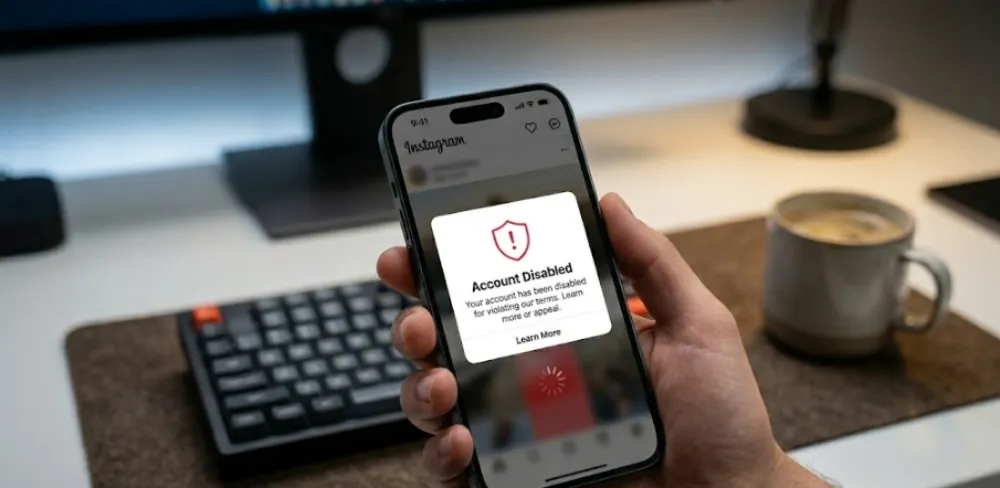
You open Instagram, only to be greeted by an endless loading wheel or, even worse, that soul-crushing “Account Disabled” pop-up. Whether you’re trying to figure out how to get your instagram unblocked right now, or you’re desperately looking for a working method to get your instagram login unblocked, you can find the answers in this article.
The reality is that losing access to Instagram usually boils down to three different types of “blocks”:
Network-Level Restrictions: You’re dealing with a strict firewall on your school or company Wi-Fi, or you’re facing advanced national geo-blocking.
Device Fingerprint Tracking: Instagram has flagged your underlying device environment (your browser fingerprint).
Account Disablement & Policy Violations: You’ve crossed a community guideline or triggered Instagram’s AI risk-control algorithms, resulting in an official ban.
Because the root causes of these three scenarios are completely different, their solutions are too. Blindly following outdated online tutorials won’t give you a true instagram unblock—in fact, it might get your account permanently deleted. Before understanding the testing solution, we should first accurately diagnose at which stage Instagram is currently stuck.
The Logic Behind Instagram Blocks
Network Filters
DNS & Port Blocking: Your network request is hijacked during DNS resolution, or specific communication ports used by Instagram are blocked outright, resulting in endless loading.
Firewall Interception: School and corporate firewalls use DPI to instantly identify and drop data packets heading toward Meta’s servers.
Browser Fingerprinting
Why won’t clearing cookies and using “Incognito Mode” prevent account bans? Because cookies are surface-level. Instagram’s anti-fraud systems track deep-level device characteristics.
Hardware Exposes Your Identity: Your hardware specs—like WebGL rendering, installed fonts, and screen resolution—create a unique “browser fingerprint.” If this fingerprint remains unchanged, swapping IPs won’t hide your identity from the system.
Action Blocks
AI Bot Detection: Instagram evaluates IP purity (flagging cheap data center proxies) and login frequency to detect automated mass-operation scripts.
Common Triggers: Mass-liking or following right after registration, or jumping between international IPs within minutes, will instantly trigger Action Blocks and disable your account.
Next, we will discuss the specific practical methods. If you merely encounter the interception by the local area network firewall, the solution is actually very simple.
Scenario 1: Bypassing Basic Network Restrictions at School or Work
Target Audience: Students or employees who simply want to check their feed. Account itself is in good standing and is only subject to local network firewall restrictions.
Method 1 — Encrypt Your Traffic with a Standard VPN
How it Works: A VPN creates an encrypted tunnel between your device and a remote server. Because your data packets are encrypted, your school or corporate firewall cannot inspect the traffic, rendering them unable to block your request to Instagram.
Selection Criteria: Opt for premium VPNs that offer AES-256 encryption, a strict no-logs policy, and high-speed server networks.
Step-by-Step Guide:
Mobile (iOS/Android): Download a reputable VPN from the app store → Subscribe and log in → Connect to a server outside your current network (e.g., US or UK) → Wait for the VPN icon to appear in your status bar, then open the Instagram app.
Desktop (Windows/Mac): Install the desktop client → Connect to a server → Enable “Global Mode” (if available) to route all traffic through the tunnel → Refresh your browser and log into Instagram.
Method 2 — Web Proxy Servers
The convenience of temporary access: Web proxies are browser-based tools. You don’t need to install any software. You simply navigate to a proxy site, type instagram.com into its URL bar, and the proxy fetches the page for you. This is ideal for quick, temporary access on restricted or borrowed computers.
Privacy Risk Warning: Most free web proxies lack end-to-end encryption and may actively log your data. Use web proxies strictly for viewing public profiles. Never enter your login credentials through a free web proxy, as this drastically increases the risk of credential theft and account suspension due to dirty IPs.
Method 3 — Smart DNS & Mobile Hotspots
Modifying DNS Settings (For Light Restrictions): If the network administrator is only using DNS filtering to block access, manually changing your device’s DNS servers will bypass the block.
Steps: Go to your device’s Wi-Fi network settings, switch DNS configuration from “Automatic” to “Manual,” and enter a trusted public DNS like Google (8.8.8.8) or Cloudflare (1.1.1.1).
Switching Mobile Hotspot (The Ultimate Fallback): Campus and corporate firewalls only govern their own Wi-Fi hardware. The most foolproof workaround is to disconnect from the Wi-Fi entirely. Switch to your cellular data (4G/5G) or tether your phone’s connection to your laptop.
While the previous methods work perfectly for local networks, standard tools completely fall apart when you hit a national firewall.
Method 4 — Portable Browsers & Fixing Video Lag
No Admin Rights? Use a Portable Browser (like Firefox Portable) on a USB drive. Plug it in, set up a web proxy, and bypass school PC installation blocks entirely.
Reels Buffering? If Instagram unblocks but videos lag due to school bandwidth throttling, use third-party Instagram video downloaders. Saving videos directly to your device completely bypasses real-time network limits.
Scenario 2: Bypassing Advanced Geo-Blocking in Strictly Censored Countries

Target Audience: International travelers, expats, and users navigating sophisticated national internet censorship.
2026 List of Countries Where Instagram is Blocked
Before planning international travel or overseas operations, check this updated 2026 block list (According to the real-time global monitoring data of NetBlocks):
| Restriction Level | Country/Region | Notes |
|---|---|---|
| Complete Block | China, North Korea | Long-term block, no signs of lifting. |
| Strict Limits | Iran, Russia | Intermittent or partial blocks. |
| New Restrictions | Afghanistan | Newly implemented full block since 2025. |
| Intermittent Block | Pakistan, Turkey, Bangladesh | Temporary blocks during sensitive political events. |
Why Standard VPNs Fail Here
Deep Packet Inspection (DPI): National firewalls don’t just block IP addresses; they use DPI. This technology inspects the actual structure and metadata of the data packets passing through the network.
VPN Signatures: Standard protocols like OpenVPN and IPSec have highly recognizable cryptographic “fingerprints.” When the firewall’s DPI detects the specific handshake of a VPN connection, it instantly drops the connection. Your data is encrypted, but the firewall knows it is a VPN, which is enough to block it.
The Best Solution — Advanced VPNs with Obfuscation
When facing DPI, the goal is camouflage.
How Obfuscation Works: Obfuscated servers (often called Stealth VPNs) scramble your VPN traffic to make it look exactly like regular HTTPS web traffic (typically routed through port 443). When the firewall inspects the packets, it just sees normal, uninteresting web browsing and lets it pass.
Recommended Protocols: In these restrictive environments, standard commercial VPNs often fail. You need tools that support protocols explicitly designed to bypass deep censorship, such as Shadowsocks (SS), V2Ray (VMess/VLESS), or Trojan.
The Extreme Backup — Tor Browser
The Pros: It is highly anonymous, free, and incredibly difficult for governments to block completely due to its decentralized node routing.
The Cons: It is excruciatingly slow. Instagram is a media-heavy app, and Tor’s speed makes loading photos and reels nearly impossible. More importantly, Tor exit nodes are heavily flagged by Instagram’s security AI. Logging in through Tor is a fast track to getting your account temporarily locked, making it an absolute last-resort option.
If you are running a marketing agency or an international e-commerce brand, standard VPNs won’t cut it. You aren’t just trying to bypass a network block; you are fighting against advanced account association algorithms.
Scenario 3: Anti-Association Solution for Multiple Accounts
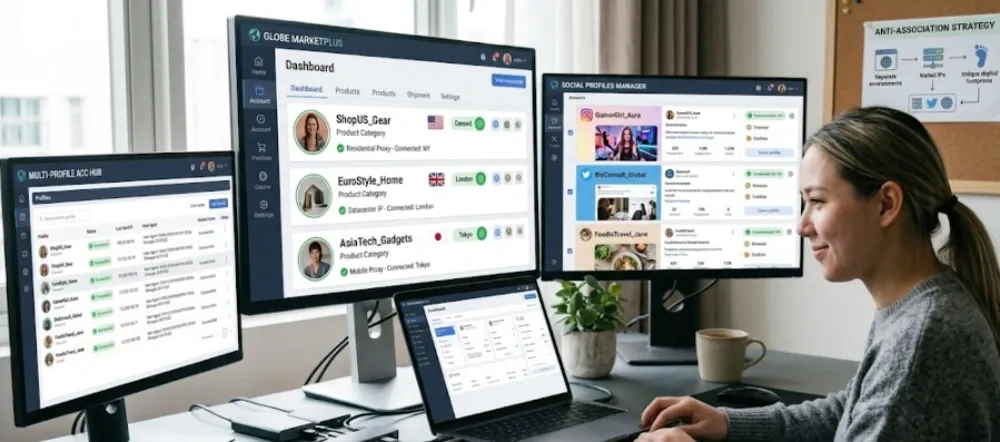
Target Audience: cross-border e-commerce sellers, global social media managers, Multi-Channel Networks, professional social media management agencies, and anyone managing 3 or more Instagram accounts simultaneously.
Why Are Accounts Getting Mass-Banned Even With Proxies?
Many marketers fall into the exact same trap: they spend a fortune on a massive list of proxy IPs, only to watch their Instagram accounts get banned in bulk upon registration or login. This usually boils down to two critical blind spots:
Blind Spot 1: Using data center proxies. As we covered earlier, while data center IPs are cheap and fast, they are assigned in bulk by cloud hosting companies. Instagram’s AI instantly flags them as “low-trust.” Logging in with these is practically begging the risk-control system to classify you as a bot.
Blind Spot 2: The same device fingerprint. This is the ultimate killer. You changed your IP, but your computer’s graphics card rendering, screen resolution, and installed fonts (your browser fingerprint) remained exactly the same. When Instagram sees 100 different US IP addresses all sharing the exact same underlying hardware fingerprint, it immediately recognizes it as a mass-control operation and bans the entire batch.
The Ultimate Fix — Antidetect Browsers + Residential Proxies
To truly stop mass bans, you need 100% physical isolation across both your IP address and your device environment.
Spin Up Thousands of Independent Hardware Environments: This is exactly where an anti-detect browser comes into play. It can manipulate your hardware fingerprint parameters right down to the core (including WebGL, Canvas, and Audio context). With a single click, you can generate thousands of completely independent virtual browser profiles. To Instagram’s security algorithms, it looks exactly like thousands of distinct, real computers scattered across the globe.
Pairing with Static Residential Proxies: Once you have authentic-looking hardware profiles, you need real ISP IP addresses to match. Binding each anti-detect browser profile to a static residential proxy achieves 100% physical isolation. Every time you open a specific profile, it routes through the exact same clean, residential IP.
Securing a Long-Term Instagram Unblocked: This “One Account, One Profile, One IP” strategy perfectly mimics real human behavior. It easily bypasses Instagram’s bot detection, ensuring that your entire fleet of marketing accounts maintains a secure, long-term Instagram login unblocked status, completely free from environment-triggered login interceptions.
Team Collaboration: For marketing teams, an anti-detct browser offers robust sub-account permission management. Managers can share pre-configured, secure browser profiles directly with team members. When an employee opens the profile on their local machine, it retains the exact same clean environment and static IP. This eliminates the risk of sharing passwords and completely prevents the cross-contamination that typically causes cascading bans when multiple people log in from different locations.
Scenario 4: Data Scraping and API Unblocking Solutions

Target Audience: Web scraping engineers, automation script developers, and data mining teams. For web scraping engineers and automation developers, the challenge isn’t just getting access—it’s staying entirely under the radar during high-volume data extraction.
Bypassing Instagram’s Rate Limits and Anti-Scraping Mechanisms
Instagram’s Anti-Scraping: Instagram’s countermeasures have become significantly more aggressive. Beyond aggressively shutting down unofficial API endpoints, their systems now deploy advanced detection against headless browsers. If you are running standard Python scripts out of the box, the system will flag your traffic as non-human almost instantly.
Throttling and User-Agent Masking Fundamentals: Brute-forcing high concurrency will only result in immediate HTTP 429 (Too Many Requests) responses. Implementing randomized delays in your code is a non-negotiable baseline. More importantly, you must comprehensively mask your HTTP headers, specifically by rotating highly realistic User-Agents. When driving automation frameworks like Playwright or Selenium, stripping out default WebDriver fingerprints from your launch arguments is mandatory to avoid instant detection.
Actionable Tactics — Beating IP Bans with Rotating Proxies
Residential vs. Data Center Proxies: If you are merely scraping basic, public hashtag counts and your throttling logic is flawless, premium data center IPs might barely scrape by. However, for deep data extraction or high-frequency scraping operations, dynamic residential proxies are mandatory. They distribute your request load across genuine consumer ISPs, drastically diluting the pressure on any single IP address.
Balancing Rotation and Sticky Sessions: This is where most scraping logic fails. Rotating your IP on every single HTTP request will instantly invalidate your session cookies and trigger an immediate geographic anomaly ban. The correct engineering approach relies on “sticky sessions”—holding the same IP address for the duration of a specific authenticated scraping task. You should only trigger your code to rotate proxies when switching to a different target account, or when your script catches a temporary block signal.
Scenario 5: Instagram Appeal & Recovery Guide
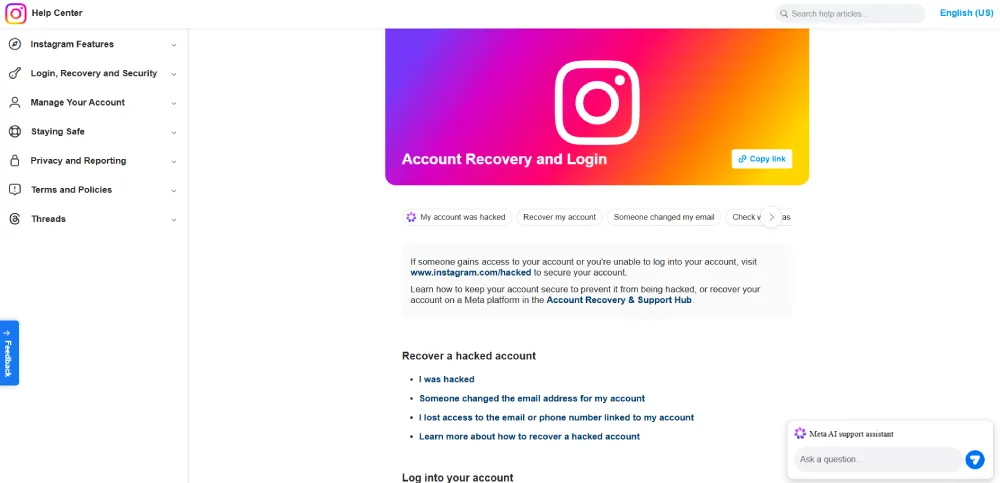
Target Audience: Users greeted with the dreaded “Your account has been disabled” message upon attempting to log in.
Pinpointing the Issue — Official Disablement vs. Shadowban
Before taking action, confirm exactly what kind of penalty you’re dealing with:
Official Disablement: You are completely locked out. You cannot log in, and your profile appears as “User not found” to others. This requires a formal appeal.
Shadowban: You can still log in, post, and engage, but your visibility has been silently throttled. Your content won’t appear on the explore page or under public hashtags, killing your organic reach.
How to Check for a Shadowban: Post a photo with a highly specific, low-volume hashtag. Use a completely unrelated account (that doesn’t follow you) to search for that exact hashtag. If your post doesn’t show up in the “Recent” tab, you are shadowbanned.
Quick Checklist of Common Ban Triggers
Identify what might have tripped the system before you write your appeal:
Community Guideline Violations: Posting hate speech, explicit content, or spam.
Abnormal Behavior: Mass-liking or following within a short window, or triggering security flags by logging in from multiple countries simultaneously (as discussed in Scenario 3).
Mass Reporting: Coordinated reporting by competitors or users offended by your content.
Copyright Infringement: Receiving a DMCA strike for ripping uncredited music or videos.
The 2026 Appeal Process & High-Success Rate Templates
Step-by-Step Action: Tap “Learn More” on the disablement pop-up. This directs you to the official appeal form. Fill in your registered email and phone number, and prepare to submit a photo of yourself holding a handwritten code or your business registration documents.
CRITICAL WARNING: The 30-Day Deadline. Instagram enforces a strict 30-day window for appeals. If you fail to successfully appeal within this timeframe, your account and all its data will be permanently deleted.
Tactics for a Higher Approval Rate:
Do Not Spam the Form: Submit your appeal once and wait. Submitting the exact same form multiple times drops you to the bottom of the review queue.
Do Not Create a New Account Yet: Creating a burner account from the same IP and device while appealing will be flagged as ban evasion, destroying any chance of recovery.
Leverage Meta Business Support: If your Instagram is linked to a Meta business manager that has run ads, bypass the standard form. Open a live chat or ticket directly through Meta business support. Reps here are actual humans and can escalate unblocking requests significantly faster.
Appeal Message Template:
“Hello Instagram Support Team. It appears my account (@yourusername) was disabled by mistake due to an automated security flag. I operate a legitimate business/creator page and strictly adhere to all community guidelines. I suspect a recent fluctuation in my network connection caused a false positive. Could you please escalate this for a manual review? Thank you for your time.”
Backup Options If the Appeal Fails
Secondary Appeals: If rejected, wait 48 hours and submit a different form via the web Help Center. Provide stronger evidence of your identity or business registration, politely insisting on a false positive.
How to Safely Re-Register: If the account is permanently gone, do not register a new one on the same device. Your current IP and hardware fingerprint are blacklisted. You must revert to the physical isolation strategy detailed in Scenario 3. Use an antidetect browser to instantly generate a pristine, brand-new hardware footprint, pair it with a clean residential proxy, and start fresh without the ghost of your old ban haunting the new account.
Even with a working proxy and a solid environment, device-specific settings can still compromise your access. Here is your technical checklist for both mobile and desktop platforms.
Implementation Details by Device (Mobile vs. Desktop)
Mobile App Strategy
Because the mobile app has deep access to device-level data, simply toggling a VPN is often insufficient. Pay attention to these specifics:
Clearing Cache and App Data: On Android, navigate to “Settings -> Apps -> Instagram.” You must “Clear Cache” first, then “Clear Data.” This wipes any lingering login artifacts. iOS users should stick to a full app deletion.
App Store Region Swapping: If your App Store is set to a restricted region, you might miss critical updates or face regional app-level blocks. Switch to a US or UK Apple ID/Google Play account to ensure you are running the standard international version.
The “Clean Reinstall” Method: After deleting the app, reboot your device. Ensure your proxy or VPN is set to “Global Mode” before re-downloading. This ensures that when Instagram performs its initial environment check upon the first launch, it sees a clean, consistent location.
Desktop Web Implementation
While the desktop browser offers more flexibility, it is also prone to invisible data leaks that can flag your account.
Extension Conflict Troubleshooting: Ad-blockers or overlapping VPN extensions can break Instagram’s scripts, leading to broken pages or login loops. Test your connection in an Incognito window with all non-essential extensions disabled.
WebRTC Leak Protection (Crucial for VPN Users): This is a massive security hole. WebRTC Leaks allow a browser to bypass your encrypted proxy tunnel via real-time communication protocols, exposing your actual local IP address to Meta’s servers.
The Test: Visit browserleaks.com. If you see your real ISP’s IP address while your VPN is on, you are leaking.
The Fix: Use a Chrome extension like “WebRTC Leak Prevent.” For a more robust solution, use an antidetect browser like RoxyBrowser, which provides native, hardware-level WebRTC masking, effectively sealing this “backdoor” by default.
Comprehensive Comparison of Unblocking Tools
With so many options claiming to provide an instagram unblock, choosing the right one depends on your specific goals. To help you make an informed decision, we’ve compared the three most common methods used to achieve an unblocked instagram status in 2026.
| Dimension | Standard VPN | Web Proxy | Antidetect Browser + Residential Proxy |
|---|---|---|---|
| Speed | Fast | Moderate | Fast |
| Anonymity | Moderate | Low | High |
| Anti-Ban Strength | Low (Shared IPs get flagged) | Extremely Low (High risk) | High (Full isolation) |
| Multi-Account Support | ❌ No | ❌ No | ✅ Thousands of profiles |
| Cost | Low | Free / Very Low | Moderate |
| Best For | School, Work, Travel | Quick, temporary access | Marketing, E-commerce, Devs |
Free vs. Paid Solutions
When Free is Enough: If you are a casual user just looking to check a few posts on a school or work Wi-Fi, and you don’t mind the risk of a temporary account lock, free web proxies or basic VPNs will do the job.
When Paid is Mandatory:
You are in a country with advanced national firewalls requiring stable, obfuscated connections.
You are managing high-value business accounts or a fleet of marketing profiles.
You require absolute privacy and need to prevent Meta from tracking your device fingerprint.
Security Warnings
When searching for an instagram unblocked solution, keep these major red flags in mind:
Beware of Malware: Many “cracked” or “perpetually free” unblocking software packages are actually Trojan horses designed to harvest your login credentials and personal data.
Data Selling Risks: Running a global server network is expensive. Free VPN providers often cover these costs by logging and selling your browsing history and sensitive data to third-party brokers.
Untrusted Extensions: Be extremely cautious with random Chrome extensions claiming to unblock social media. These tools often have the permission to read your site data, allowing them to scrape your cookies and hijack your account.
Getting your account unblocked is only half the battle. Surviving Instagram’s strict risk-control algorithms long-term is the real challenge. Here is how to bulletproof your accounts against future bans.
How to Prevent Future Instagram Bans
Network-Level Prevention
Maintain IP Consistency: Stop bouncing between proxy locations. If your IP shows you in New York in the morning and London in the afternoon, Instagram will flag it as an impossible travel anomaly, instantly locking the account for suspicious activity.
Ditch Data Center IPs: Stop logging into your primary accounts using cheap data center proxies (like IPs from AWS or generic cloud hosts). These IPs are heavily abused and carry a permanently high-risk score.
Account Behavior Prevention
Play by the Community Rules: Know what triggers the algorithm. Beyond the obvious bans on explicit or hateful content, repeatedly posting highly repetitive, spammy promotional material will get you shadowbanned or disabled fast.
Ban Third-Party Automation Tools: Completely abandon any sketchy apps promising “auto-followers, mass-liking, or auto-commenting.” Instagram has zero tolerance for aggressive API abuse and will permanently terminate accounts caught using them.
Enable Two-Factor Authentication (2FA): Turn on 2FA via SMS or an authenticator app. Not only does this protect you from hackers, but it also significantly boosts your account’s internal “Trust Score” with Meta, making you less likely to be flagged as a bot.
Bind Authentic Meta Properties: Connecting your Instagram account to a genuine Facebook personal profile or a verified WhatsApp Business account significantly boosts your internal “Trust Score” within Meta’s ecosystem. This provides a strong signal of human authenticity, drastically reducing the chances of your account being misjudged as a bot by their automated risk-control systems.
Multi-Account Management Prevention
Strict Physical Isolation: For marketing agencies and e-commerce brands running multiple accounts, there is one golden rule: every single account must operate in an entirely independent browser environment with its own dedicated IP. Cross-contamination (like logging into different accounts from the same standard Chrome browser) will lead to catastrophic, cascading bans.
The Recommended Stack: Antidetect Browser Profiles + Static Residential Proxies. This is the definitive setup for sustainable scaling. Use antidetect browser to generate a unique, isolated fingerprint profile for every single account, and bind each profile to a clean, static residential IP. This setup guarantees that whether you manage 10 or 1,000 profiles, they will maintain a secure, long-term instagram unblocked status, completely eliminating the risk of association bans.
Conclusion
Navigating Instagram’s risk-control landscape requires precision. Instead of trial and error, use the table below to identify the most effective solution for your specific needs:
| Your Situation/Goal | Root Cause | Recommended Strategy | Key Tools/Tech |
|---|---|---|---|
| School or Office Wi-Fi Blocks | Local Network Firewall | Scenario 1: Basic Bypass | Standard VPN, Public DNS, Mobile Hotspot |
| Strict National Censorship | Deep Packet Inspection (DPI) | Scenario 2: Traffic Obfuscation | Obfuscated VPNs (Shadowsocks/V2Ray) |
| Multi-Account/E-commerce | Account Association Risk | Scenario 3: Physical Isolation | RoxyBrowser (Antidetect) + Residential Proxies |
| Web Scraping & Automation | Rate Limiting & IP Bans | Scenario 4: Dynamic Extraction | Rotating Proxies, Request Throttling |
| “Account Disabled” Pop-up | Policy Violation or AI Error | Scenario 5: Official Appeal | Official Appeal Forms, Meta Business Support |
FAQs
1. Is there a way to unblock Instagram?
Yes. The solution depends on the block type:
Network Level: Use a VPN or encrypted proxy to bypass Wi-Fi or national firewalls.
Device Level: Use an antidetect browser (like RoxyBrowser) to mask your hardware fingerprint.
Account Level: Submit an official appeal to Instagram’s compliance team for manual review.
2. How do I unblock on Instagram in 2026?
In 2026, the most effective methods are:
For Personal Use: Use high-end VPNs with obfuscation protocols (V2Ray/Trojan) to hide traffic from DPI.
For Business/Marketing: Combine an antidetect browser with static residential proxies. This ensures physical isolation and prevents mass-account association bans.
3. How to know if blocked on Instagram in 2026?
Network Block: Endless loading screens or “No Internet Connection” while other sites work fine.
Shadowban: Your posts don’t appear under hashtags, and reach drops to near zero.
Official Ban: A pop-up stating “Your account has been disabled” appears during login.
User Block: You can’t find their profile, or it shows “No Posts Yet” and you cannot click the Follow button.
4. How to unblock user in instagram?
Follow these steps:
Go to your Profile and tap the Menu (three lines) in the top right.
Tap Settings and Privacy -> Blocked.
Find the user in the list and tap Unblock next to their name.
Confirm the action in the pop-up.
5. How to get Instagram block removed?
Appeal: Tap “Learn More” on the disabled message screen and fill out the form.
Verification: Follow the email instructions to submit a “selfie with code” or business documents.
Meta Support: If you run ads, use Meta Business Suite to contact a live support agent for faster resolution.
Note: You must appeal within 30 days of the ban, or your account will be permanently deleted.


